HTML links
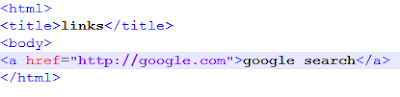
Links: Links allows us to link our documents to any other document we want to, we can also link to specific parts of documents and can make apps available at a simple web. In HTML links are defined with <a> tag.It appears to be- <a href="url"> link text</a> The href specifies the destination of the link. The link text is the visible part. If we write this code, the page appears to be... Link colors: By default,the link appears to be- Every link is underlined. If the link is unvisited it is blue. If the link is visited it is purple. If the link is active it is red. By using style,we can even change them If we write this code, the page appears to be... We can set the colors of the links using alink for active links and vlink for visited links of <body> tag. If we w...